These magnets were made using old domino's. I used alcohol ink to color them and then added bling to the first one. The other one, I stamped 'let it snow' out on paper and glued it down. I used Glossy Accents to completely cover the tops. I added some 'snow" (texture paint) to finish the let it snow one. On the back I used E6000 glue to attach a magnet. Easy and fun to make!
Sunday, December 18, 2011
Wednesday, November 30, 2011
Snowman Tag
For my snowman I used Mainstays Crafts Glitter that I got at a yard sale for a quarter! It really made him look good. At the bottom I made snow using Plaid Folk Art Texture Paint in Snow white. Glittered the snowflakes with some Martha Stewart glitter, added bling to the center. The snowman and the flakes were all cut using the Cricut.
Tuesday, November 29, 2011
Bird Cage tags
I made these for a swap I was in on the Cricut Message board. We were to think outside the box and have fun with it. So, I put the cat in the cage with the bird who got away outside! The cage and the bird were cut from the Four Legged Friends cartridge. I used lavender Foil paper for my cage. I flocked the cat to give it a soft feel, added google eyes. For the bird I used some glitter glue. I used Helmar's zap dots to adhere my bird cage, cat and bird on. Added some bling on the top from Creative Charms and some bling on the bottom of the cage too. Put lace on the bottom with some faux pearls weaved through it. Feathers and flowers on the side.
Pin It
Wednesday, November 16, 2011
Kindergarten layout
This layout I made for a challenge at Scrapbook Flair. I used My Memories Digital Scrapbooking software and the kits I used were free from the 2009 Back to School blog train.
This is something I would like to do each year for my son, to see how much he changes and look back at in the future!
Pin It
Labels:
Digital layouts,
My Memories
Friday, November 4, 2011
Altered "J"
This is my very first altered letter!! These are so fun to do! This one I made for One Scrappin' Sista's Monthly Swap. My partner was Jennifer. I bought my letter in the wood department at Hobby Lobby. I first painted the "J" then I used Mod Podge and added my decorative paper from Colorbok, cut around the letter with my Westcott brand x-acto knife, next I added more Mod Podge on top of the paper to seal it really good. I dabbed it with a foam paint brush so there would be no lines. I added some bling from Creative Charms, some lace, a handmade flower from a swap, some tulle and a white feather. At the top at added some faux pearls on a string.
I like how this turned out and can't wait to make another!!
Pin It
Labels:
Altered Letters,
Swaps
Tuesday, November 1, 2011
My Memories WINNER!
We have a winner for the My Memoires digital scrapbooking software!!!!
And for those of you who would like to purchase the software
You can use this
code that provides a $10 discount off the purchase of the My Memories Suite Scrapbook software and a $10 coupon for the MyMemories.com store - $20 value!)
Coupon code (its easier to just copy & paste it)
STMMMS81381
My Memories Suite v2!
And now the winner, chosen by Random Org, is ....
Scrapbooking for Fun!!
CONGRATS!!! I will be in touch with you soon with your prize info from My Memories!!
Have a great day!
Tanya Pin It
And for those of you who would like to purchase the software
You can use this
code that provides a $10 discount off the purchase of the My Memories Suite Scrapbook software and a $10 coupon for the MyMemories.com store - $20 value!)
Coupon code (its easier to just copy & paste it)
STMMMS81381
My Memories Suite v2!
And now the winner, chosen by Random Org, is ....
Scrapbooking for Fun!!
CONGRATS!!! I will be in touch with you soon with your prize info from My Memories!!
Have a great day!
Tanya Pin It
Labels:
Giveaway winner
Monday, October 31, 2011
Happy Halloween!
Here is a Halloween LO I have made today using the My Memories digital scrapbooking software! There is still time to enter win your very own copy of this software. Click HERE to enter!
For this LO, I used a free Halloween kit I found back in 2009. I have tons of kits on my external hard drive that I need to get using and My Memories is helping me do just that!
My pictures are of my nephew from Halloween 2007. Yep, I'm behind a bit!! I added some journaling (which is something I struggle with, never know what to say) and some word art!
And remember if you'd like to purchase a copy of My Memories Suite v2 to make your own projects, you can use my promo code that provides $10 off the software and $10 to use in My Memoires store. A $20 value!! Just use code STMMMS81381
HAPPY HALLOWEEN!
Pin It
For this LO, I used a free Halloween kit I found back in 2009. I have tons of kits on my external hard drive that I need to get using and My Memories is helping me do just that!
My pictures are of my nephew from Halloween 2007. Yep, I'm behind a bit!! I added some journaling (which is something I struggle with, never know what to say) and some word art!
And remember if you'd like to purchase a copy of My Memories Suite v2 to make your own projects, you can use my promo code that provides $10 off the software and $10 to use in My Memoires store. A $20 value!! Just use code STMMMS81381
HAPPY HALLOWEEN!
Pin It
Labels:
Digital layouts,
My Memories
Friday, October 28, 2011
Dreams of a Boy using My Memories
Here is another wonderful layout I made using the My Memories software. Your chance to win your own digital scrapbooking software is in the post below or just click HERE. This would also make a wonderful Christmas gift for someone!
This layout was done from the same kit as yesterday. "Dreams of a Boy" by Valentina Creations.
Pin It
This layout was done from the same kit as yesterday. "Dreams of a Boy" by Valentina Creations.
Labels:
Digital layouts,
My Memories
Thursday, October 27, 2011
My Memories giveaway!!!
I recently had the chance to review a program called My Memories Suite, It's a digital scrapbooking software and I love it. I love to play around and just keep changing till I get the look I want! My Memories Suite is a new program for me and let me tell you, it is very easy to figure out. Even for those who have never tried digital scrapbooking before - You can do it!
In addition to the beautiful layouts you can make with My Memories Suite, you can also make your own blog headers for your personal blogs! Did you see mine above? I made a quick one with this digital scrapbooking software using an old kit that I already had on my hard drive!! This is something I had been wanting to figure out for some time now. I had no idea how to do it and with My Memories Suite it was so easy. My Memories has a list of tutorials to help as well!
Here are just some of my favorite things to do with My Memories Suite!
Just imagine all the personalized gifts you could give this Holiday season!
And let me tell you, there are tons of free kits out there!! (Stay organized from the start cause it is fun collecting kits and before you know it you will have a very big library) If you need to know some places to find some freebies, let me know!
Here is a layout I created using My Memories software and a kit from the My Memories Store. Its called "Dreams of a Boy" by Valentina Creations! I love it!! You will see more of my creations using this awesome software throughout the week!
Now who would like a chance to win their very own My Memories Suite Digital Scrapbooking Software? I am giving one away to one lucky reader!
Here's how to get up to 6 entries to increase your chances of winning! Please leave a separate comment for each you do.
You must do the first one!
1. Visit www.MyMemories.com and come back and tell me which kit is your favorite! (as great as it is, you can't use the one I mentioned)
Extra Entries if you haven't already done so:
2. Like My Memories on Facebook. You can tell them Tanya from Scrappyland, USA sent you :)
3. Follow My Memories Suite on Twitter.
4. Follow My Memories Blog.
5. Follow my blog (my followers button is to the right) But only if you like my projects. If you already follow just comment and let me know!
6. Spread the word about my giveaway on your blog and/or Facebook and leave me a link to it.
*Remember - Please leave a way for me to contact you if you win!
And if you think hey I can't wait, I need this software now!!
Use this
code that provides a $10 discount off the purchase of the My Memories Suite Scrapbook software and a $10 coupon for the MyMemories.com store - $20 value!)
Coupon code (its easier to just copy & paste it)
STMMMS81381
My Memories Suite v2!

Thank you!
Tanya
Pin It
In addition to the beautiful layouts you can make with My Memories Suite, you can also make your own blog headers for your personal blogs! Did you see mine above? I made a quick one with this digital scrapbooking software using an old kit that I already had on my hard drive!! This is something I had been wanting to figure out for some time now. I had no idea how to do it and with My Memories Suite it was so easy. My Memories has a list of tutorials to help as well!
Here are just some of my favorite things to do with My Memories Suite!
Just imagine all the personalized gifts you could give this Holiday season!
- Create your own beautiful layouts, print them too!
- Burn to dvd video!
- Make a movie, even i-pod ready movies!
- Create your own blog header!
- Use your svg shape files in your layouts!
- Create your own word art!
- Add your own music and narration!
- Turn your albums into calendars!
- Use any kits, doesn't have to be kits from them.
And let me tell you, there are tons of free kits out there!! (Stay organized from the start cause it is fun collecting kits and before you know it you will have a very big library) If you need to know some places to find some freebies, let me know!
Here is a layout I created using My Memories software and a kit from the My Memories Store. Its called "Dreams of a Boy" by Valentina Creations! I love it!! You will see more of my creations using this awesome software throughout the week!
Now who would like a chance to win their very own My Memories Suite Digital Scrapbooking Software? I am giving one away to one lucky reader!
Here's how to get up to 6 entries to increase your chances of winning! Please leave a separate comment for each you do.
You must do the first one!
1. Visit www.MyMemories.com and come back and tell me which kit is your favorite! (as great as it is, you can't use the one I mentioned)
Extra Entries if you haven't already done so:
2. Like My Memories on Facebook. You can tell them Tanya from Scrappyland, USA sent you :)
3. Follow My Memories Suite on Twitter.
4. Follow My Memories Blog.
5. Follow my blog (my followers button is to the right) But only if you like my projects. If you already follow just comment and let me know!
6. Spread the word about my giveaway on your blog and/or Facebook and leave me a link to it.
*Remember - Please leave a way for me to contact you if you win!
And if you think hey I can't wait, I need this software now!!
Use this
code that provides a $10 discount off the purchase of the My Memories Suite Scrapbook software and a $10 coupon for the MyMemories.com store - $20 value!)
Coupon code (its easier to just copy & paste it)
STMMMS81381
My Memories Suite v2!
Thank you!
Tanya
Pin It
Labels:
Digital layouts,
Giveaway,
My Memories
Sunday, October 23, 2011
Huntin 4Luv
I made these License plate embellishments for a swap I'm in over at onescrappinsista's blog. We were to make little license plates for use on projects. I used Paper Pups cartridge for my huntin dog, stamped Be Mine, cut the letters HNTN 4LUV out with my Cricut from black and dark green paper. Added heart brads at the bottom and eyelets at the top. The background was embossed and then inked.
Pin It
Labels:
Embellishments,
Swaps
Saturday, October 22, 2011
Winter Pin Cushion & stick pins
I made this pin cushion and the stick pins for a swap. My partner asked for a Winter theme in pastel colors. This was my first time making a pin cushion.
I used some snow white, textured FolkArt paint by PLAID on the snowmen and around the bottom of the base to give a snowy affect. (Love this stuff!) The base of the pincushion was painted with PLAID FolkArts Extreme Glitter acrylic paint. (2790 Turquoise) It looks really glittery and pretty. The winter title with the snowmen were cut from my Cricut Expression as well as the snowflake. I added Martha Stewart glitter to the title and the snowflake to give a bit of shimmer.
Labels:
Pin cushion,
stick pins,
Swaps
Friday, October 21, 2011
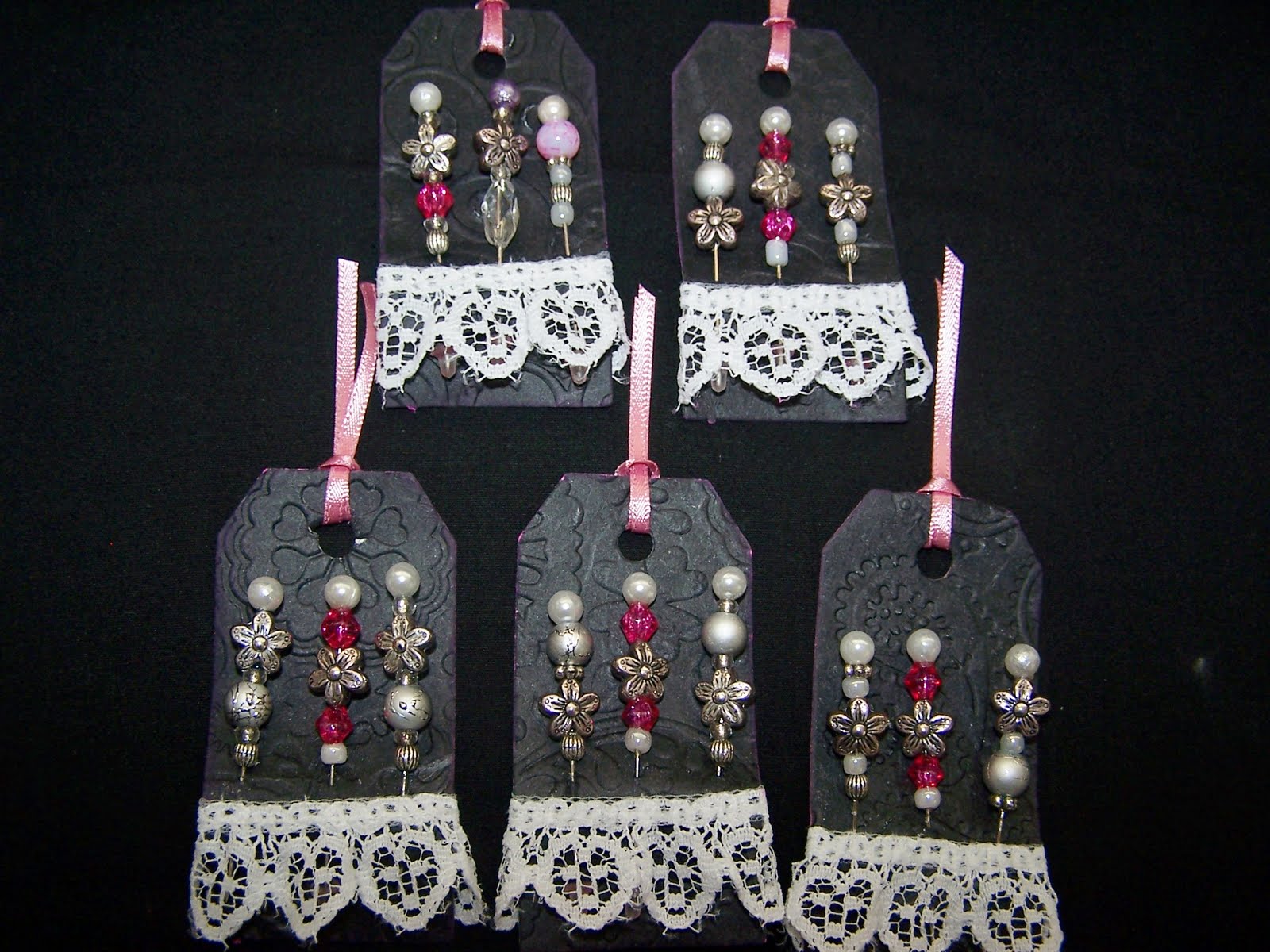
Christmas Stick Pins
Stick pins are highly addictive and fun to make!
These were all made for a Christmas stick pin swap.
I love using the pompoms and green fiber!
Pin It
Labels:
stick pins,
Swaps
Thursday, September 22, 2011
Dress Form Tags
These were made for a swap at CMB, we had to create a dress form and put it on a tag. Here are mine... The first one was designers choice, followed by famous/tv person (I chose Lady Gaga) and the last one is Belle of the Ball. The background paper for Belle of the Ball is actually a shiny paper, like a mirror but I couldn't get a good picture, it kept getting a reflection. It looks really pretty in person.
And here is my inspiration for the Lady GaGa Dress..
Pin It
Friday, August 26, 2011
Handmade swap I made
This is what I made for my secret swap sister ScrappinRN over on the Cricut messageboards.
Stick Pins
lollipop flowers
altered paperclips
Monogrammed Post it note holder
Pin It
Labels:
Altered Paperclips,
flowers,
Post it note holders,
stick pins
Thursday, August 25, 2011
Handmade swap from Cindy!
This is what I received in the mail from Cindy. She was my secret person in the swap on the Cricut message boards recently. I love what she made and the colors are perfect! Thank you Cindy! Tomorrow I will post what I made for my secret swap sister.
Altered Journal
Monogrammed Note Card Set
Flowers she made for me :)
Shaker Box
Envelope mini album w/tags
I love it all!
Pin It
Labels:
Swaps
Monday, August 22, 2011
Monday, August 8, 2011
Sunday, August 7, 2011
Handmade swap items
This is what I made my partner Jen on cricut messageboards for the handmade swap last round. I'm late posting, I had posted what I received from her but never what I made her. So here it is :) A variety of flowers, embossed butterfly embellishments, a post it note holder, stick pins and an altered frame magnet.
Pin It
Labels:
flowers,
Magnets,
Post it note holders,
stick pins,
Swaps
Wednesday, July 6, 2011
Handmade gift exchange pics
For my partner in the handmade gift exchange I made this baby boy mini album.
And this is what my partner McKell made for me!
Shoe clips! So pretty :)
One side of my sign with art prints.
(The color is purple not blue.)
The other side!
Thanks McKell, love what you have made for me!!
Pin It
Labels:
mini album,
Swaps
Friday, July 1, 2011
Handmade swap at Cricut Messageboards
I participated in my very first partner swap on the cricut messageboard. My partner was Jen and this is what all she made for me! I love purple. Everything she made was absolutely beautiful!! Thank you Jen
Pin It
Subscribe to:
Posts (Atom)
>


